Awesome Support starts with a free core. As your support needs grow, email replies, documentation, WooCommerce support, and extra productivity tools can mean managing several paid add-ons.
If you’re looking for an Awesome Support alternative, you probably want a more connected workflow, with fewer tools to configure and less time spent answering repeat questions.
NiroHelp brings tickets, a built-in knowledge base, and AI assistance into WordPress. This comparison explains where it fits, what it lacks, and how to test a switch without losing track of customer conversations.
Quick answer: Is NiroHelp a good Awesome Support alternative?
NiroHelp is worth considering for WordPress teams that want ticketing, a built-in knowledge base, and AI answers from their documentation. Its free plugin includes tickets and docs; Pro adds AI assistance and email piping. It is best evaluated around those strengths, with particular attention to its current integration and agent-tool limitations.
Key Takeaways
- Awesome Support offers a free core, paid feature add-ons, and discounted bundles.
- NiroHelp includes ticketing and a knowledge base in its free plugin.
- NiroHelp Pro adds a docs-based chatbot, ticket auto-responder, AI assistant, and email piping.
- Customers can open and reply to tickets by email when NiroHelp Pro’s email channel is configured.
- NiroHelp does not yet offer a WooCommerce integration.
- Saved replies, internal agent notes, and bulk actions are not available yet.
- Test your essential support tasks before moving your live workflow.
Why do people look for an Awesome Support alternative?
Teams often look for an alternative when separate add-ons create too many purchasing, configuration, and maintenance decisions.
Others want a built-in knowledge base or AI answers from their documentation. The question is whether the current setup still matches how the team wants to provide support.
Add-on costs and upkeep accumulate

Awesome Support uses a free core with premium add-ons for specific features. Discounted bundles provide another purchasing option.
That gives you flexibility, but it also creates decisions. Which extensions do you need? Which settings overlap? What should you renew?
Compare the complete setup your team requires. A free core does not describe the cost of every workflow, and fewer extensions do not automatically guarantee savings.
Documentation requires a separate add-on
Awesome Support provides its knowledge base through the Documentation add-on.
If your goal is helping customers find answers before opening tickets, documentation becomes a central part of support. You need clear articles, useful navigation, and a straightforward way to keep information current.
An alternative with a built-in knowledge base removes one product decision from that process.
AI answers are a separate consideration
AI answers and chatbot capabilities are not listed among Awesome Support’s features. That does not establish whether a third-party workaround is possible.
For teams seeking an AI help desk for WordPress, the useful questions are more specific: Does it answer from your docs? How do you update its knowledge? What happens when the documentation cannot answer a question?
What should you look for in an alternative?
Look for a WordPress help desk plugin that covers your daily tasks with a manageable setup. Prioritize documentation, clear ticket ownership, and reliable customer access. If you want AI, check its knowledge sources and limits before considering automation a reason to switch.
Use this checklist:
- Connected features: Tickets, documentation, and AI should work together without unnecessary extensions.
- Useful self-service: Customers should be able to search readable articles before submitting requests.
- AI grounded in your content: Check which documents it uses and how you refresh them.
- No-code settings: Your team should manage fields, categories, notifications, and assignment without development work.
- Clear human involvement: Agents need visibility into questions that require judgment.
- Acceptable limitations: Verify email, store integrations, and collaboration tools against your requirements.
Write down your five most common support tasks. Those tasks make a better trial checklist than a long feature comparison.
What is NiroHelp?
NiroHelp is a WordPress help desk plugin by Codexpert that combines ticketing, a built-in knowledge base, and optional AI assistance. Tickets and documentation work without AI. Pro adds the chatbot, ticket auto-responder, copilot, and email piping. Its focus is connecting published answers with customer support.
Ticketing: organize requests and assign responsibility
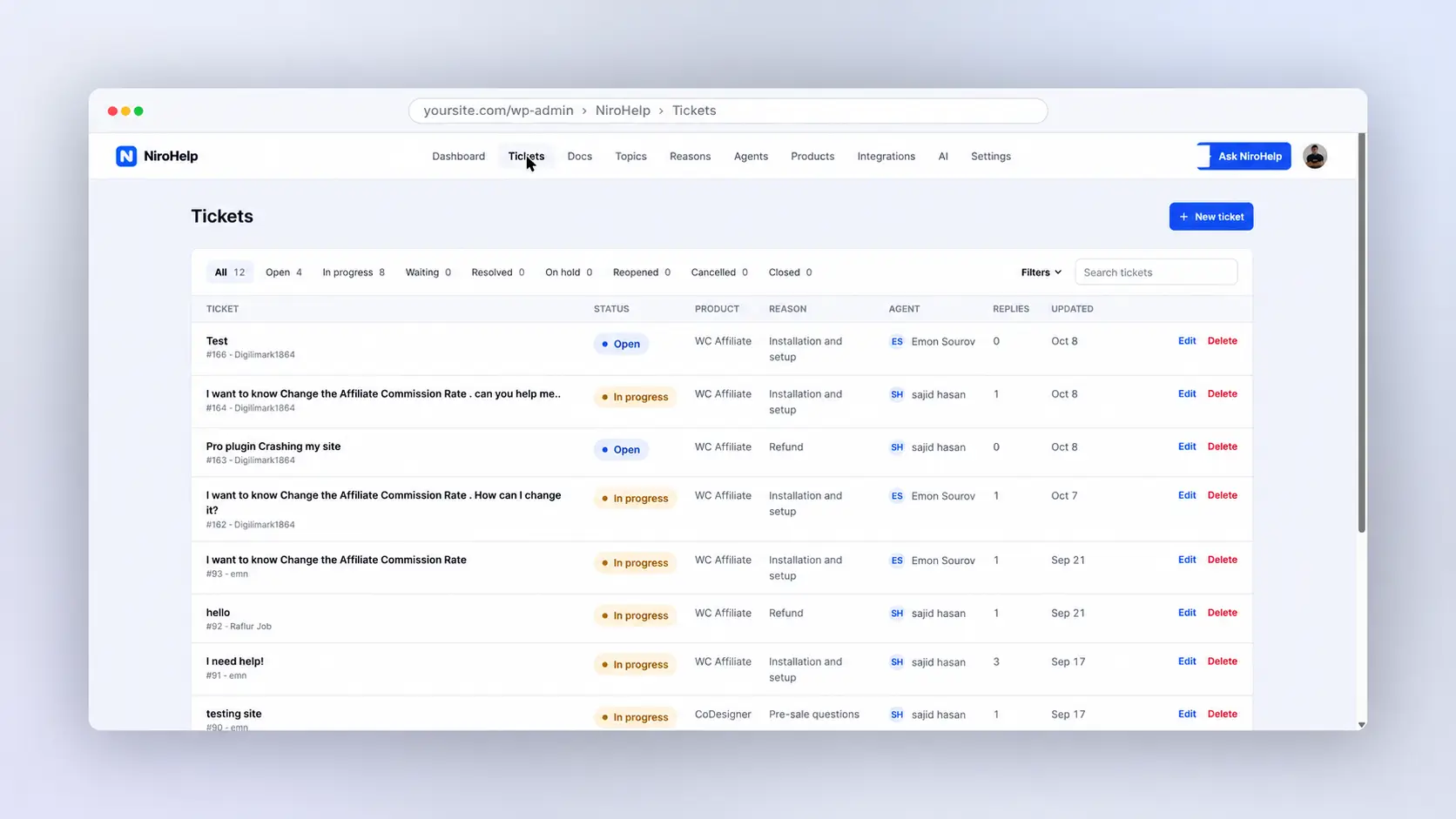
NiroHelp includes custom ticket fields, reasons, urgency levels, automatic assignment, statuses, customer login, and email notifications.
For example, a plugin business could ask customers to select the affected product and explain the issue before submission. Agents can then work from a queue with ownership and urgency visible.
Customers can sign in to check their tickets and continue conversations. Notifications keep them informed about updates.
Knowledge base: publish answers customers can find
NiroHelp’s built-in knowledge base organizes docs by topics and products. Articles can include images and code blocks, while helpful/not-helpful voting collects reader feedback.
Voting also gives you a reason to revisit an article. An answer that customers regularly mark unhelpful may need better instructions or a missing exception.
AI: use documentation before adding more manual replies
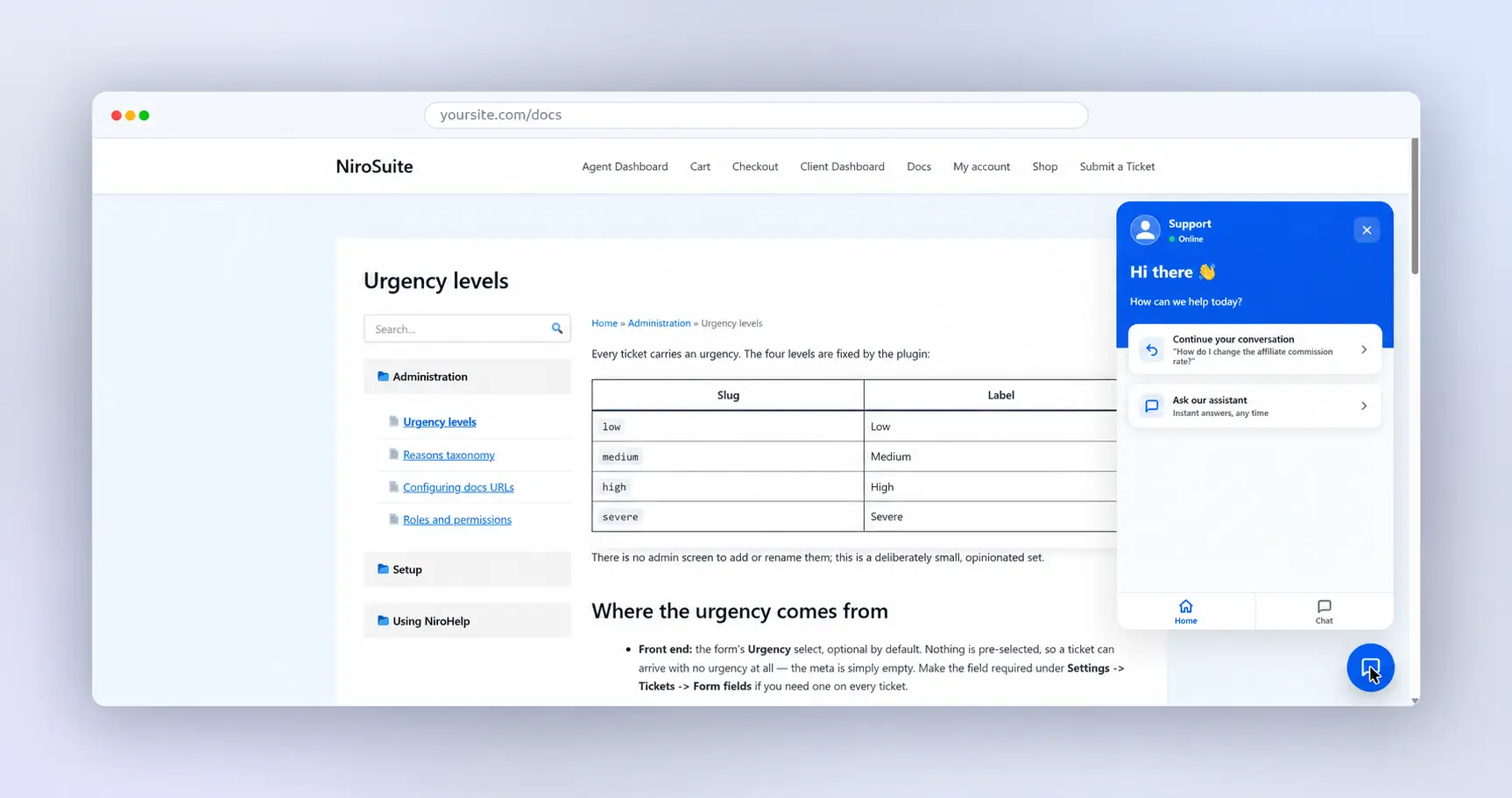
NiroHelp’s embeddable chatbot answers visitor questions from synced documentation. Its auto-responder applies that knowledge to suitable new tickets.
“Ask NiroHelp,” the dashboard assistant, helps your team query support information. Custom instructions guide AI behavior.
Consider a customer asking how to activate a license. A useful article gives the AI material for an answer. An account-specific activation failure may still need an agent.
Good documentation is part of AI setup. Test routine questions, unclear requests, and exceptions before expanding automation.
How does NiroHelp compare with Awesome Support?
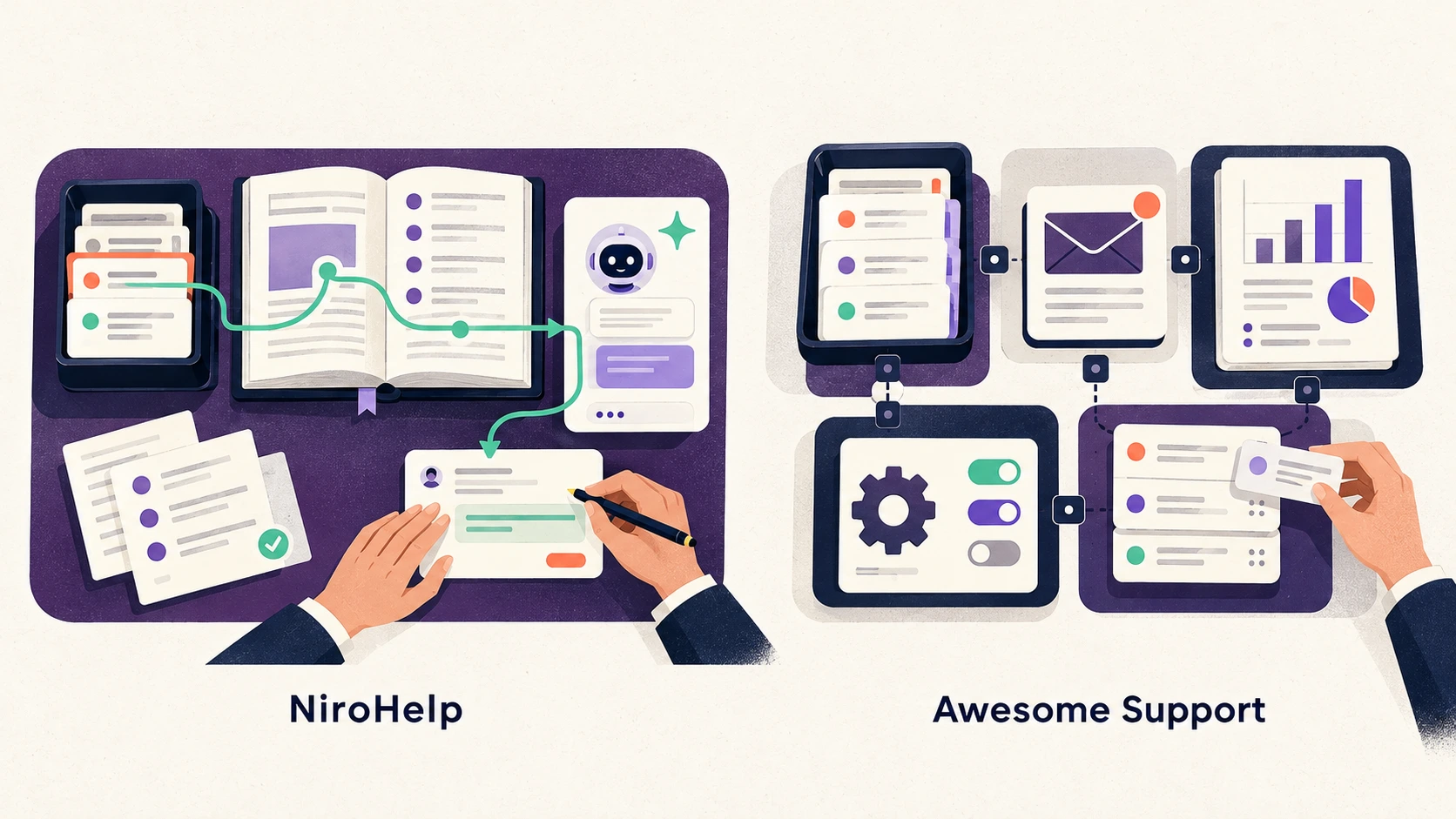
NiroHelp focuses on connected tickets, documentation, and AI. Awesome Support uses a free ticketing core with paid extensions for additional workflows.
Compare the features you need today, including plan requirements and missing tools, rather than assuming either product replaces every capability of the other.
| Area | NiroHelp | Awesome Support |
| Feature packaging | Free tickets and knowledge base; Pro adds AI and email piping | Free core, premium feature add-ons, discounted bundles |
| Knowledge base | Built in | Separate Documentation add-on |
| AI answers from docs | Chatbot and ticket auto-responder through Pro | AI/chatbot features are not listed among its features |
| Reply to tickets by email | Pro email piping | Premium E-mail Support add-on |
| WooCommerce | No integration yet | Separate add-on; product syncing also supports Easy Digital Downloads |
| Agent tools | Fields, reasons, urgency, assignment, and statuses; no saved replies, internal notes, or bulk actions yet | Options include Powerpack’s 30+ functions, time tracking, custom fields, and assignment |
| Setup effort | Connected modules; docs, email, and AI still require configuration | Depends on the selected extensions and workflow |
Email notifications and email ticketing are different features. Notifications announce changes. Email ticketing receives customer messages and connects replies to conversations. Both products offer email ticketing through a paid option.
See NiroHelp’s email piping features and Awesome Support’s E-mail Support add-on for their respective workflows.
NiroHelp’s integration page lists WooCommerce as coming soon. That should be treated as a current gap, not an available capability.
Who should switch, and who should stay?
NiroHelp suits lean teams that want documentation and AI to handle more routine questions. Awesome Support may remain a better fit for teams relying on its specialist extensions. Switching makes sense when the benefits outweigh the tools and workflows you would give up.
Choose NiroHelp if you value time, effort, and automation
NiroHelp is worth testing when your team spends too much time answering questions already covered in your published articles.
A small software business, for example, may repeatedly handle installation, licensing, and setup questions. Connecting those articles to NiroHelp’s chatbot and ticket auto-responder can reduce repetitive replies, leaving agents more time for issues that need personal attention.
Keeping tickets and documentation together in WordPress also means fewer separate tools to manage. Its AI uses an external service, so AI processing does not happen entirely on your hosting.
NiroHelp is a stronger candidate when:
- Your team wants tickets and documentation together to simplify daily work.
- Repeat questions have clear, documented answers.
- You want AI assistance to reduce manual replies.
- You can work without the currently missing agent tools.
- You do not require connected WooCommerce order information.
Keep Awesome Support if its extensions are essential
Awesome Support is mature, has a free core, and offers a deep add-on library. Available capabilities include email replies, WooCommerce and Easy Digital Downloads product syncing, time tracking, and a REST API for connecting systems.
Those features matter when they support established daily work.
If WooCommerce context is central to your support, staying is the safer choice while NiroHelp’s integration remains unavailable. If email is central, test the complete NiroHelp Pro workflow before moving.
Also account for NiroHelp’s missing saved replies, internal agent notes, and bulk actions. A cleaner dashboard cannot compensate for losing a tool your agents need throughout the day.
How do you switch?
Switch in stages: protect existing conversations, configure NiroHelp, check imported records, and test customer access before redirecting requests. Keep the previous system available during the transition. The aim is to give every customer conversation a clear owner and a clear place to continue.
1. Save your open tickets
Back up your site and record tickets that still need attention.
Include the customer, assigned agent, status, and next action. This creates a practical checklist for checking that ongoing work remains visible.
2. Install and activate NiroHelp
Install NiroHelp and activate it in WordPress.
Use a test copy of your site where possible. Ask an agent to complete a real support scenario, since daily use often reveals requirements a feature list misses.
3. Enable the required modules
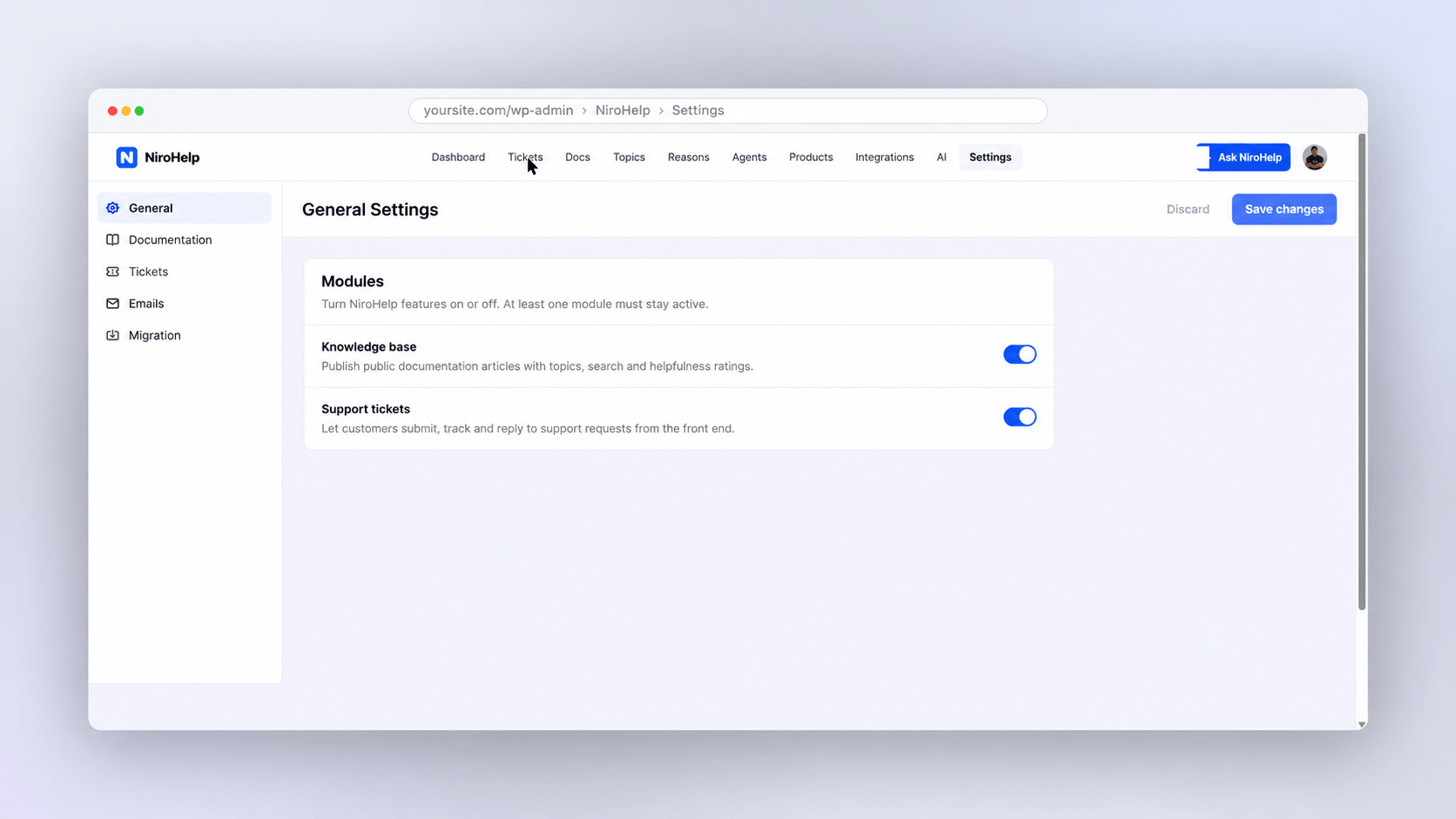
Start with tickets and the knowledge base. Configure customer access, fields, reasons, urgency, assignment, and notifications.
Submit a test ticket, reply as an agent, and check the customer’s experience.
4. Build docs and check the migration guide
Review your most useful articles and read the Awesome Support migration guide.
Compare imported conversations with the originals. Check replies, customer details, statuses, and attachments without assuming every extension’s data transfers.
5. Register for AI, sync docs, and add the chatbot
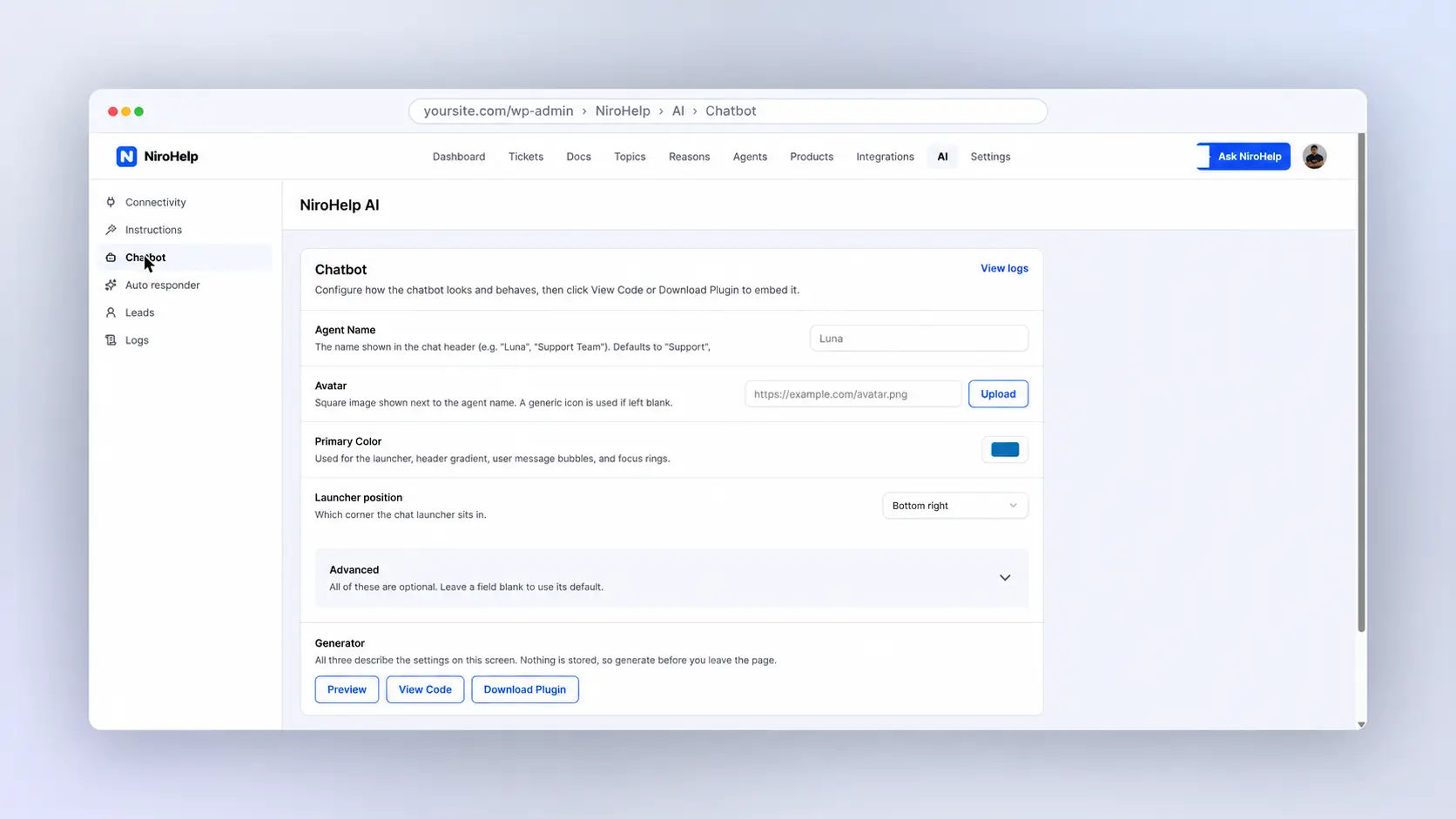
If you want AI, register through its setup, connect the service, and sync your documentation.
Add the chatbot using the provided configuration. Test questions your customers actually ask, then improve unclear articles before relying on automated answers.
6. Switch the form and retain old-ticket access
Direct new requests to NiroHelp after testing login, assignment, and notifications.
Keep Awesome Support available for old tickets until you have checked migration and agreed how ongoing conversations will finish. Tell agents which system owns each conversation.
Should you try NiroHelp as your Awesome Support alternative?
Try NiroHelp if your priority is bringing tickets, documentation, and AI assistance together in WordPress. Start with its free ticketing and knowledge base, then evaluate Pro against real questions and conversations.
If WooCommerce integration or missing agent tools are essential, include those gaps in your decision. The right help desk is the one your team can use confidently every day.
Frequently asked questions
These answers cover the main practical concerns before switching. Check the relevant documentation and test your own workflow before replacing a live support system.
Can I move existing Awesome Support tickets to NiroHelp?
Yes, NiroHelp provides an Awesome Support migration workflow and guide. Back up your site and check representative conversations after importing. Do not assume that every setting or item of data from premium extensions transfers.
Does NiroHelp work without AI?
Yes. NiroHelp’s ticketing system and built-in knowledge base work without connecting AI. You can start by organizing requests and improving documentation, then decide whether Pro’s automation features suit your support needs.
Can customers open and reply to tickets by email?
Yes, when NiroHelp Pro’s email piping is configured. Incoming messages can become tickets, and replies can return to the existing conversation. Outbound notification emails alone do not enable that workflow.
Does NiroHelp work with WooCommerce?
NiroHelp does not yet provide a WooCommerce integration. You can publish store-related help articles and answer general questions, but that does not provide connected order or purchase information inside tickets.
Do I need a separate account for AI?
Yes. You register through NiroHelp’s AI setup and connect its AI service before syncing documentation. You do not need that AI connection to use the ticketing system or knowledge base.