

Home » Ticket Management » Reasons
Reasons categorize why a ticket was opened: bug report, billing question, feature request, general question, and so on. They apply to tickets only, and they are a flat list – no nesting.
Adding reasons
- Go to NiroHelp → Reasons.
- Type a name – Bug, Billing, Feature request.
- Click Add New Reason.
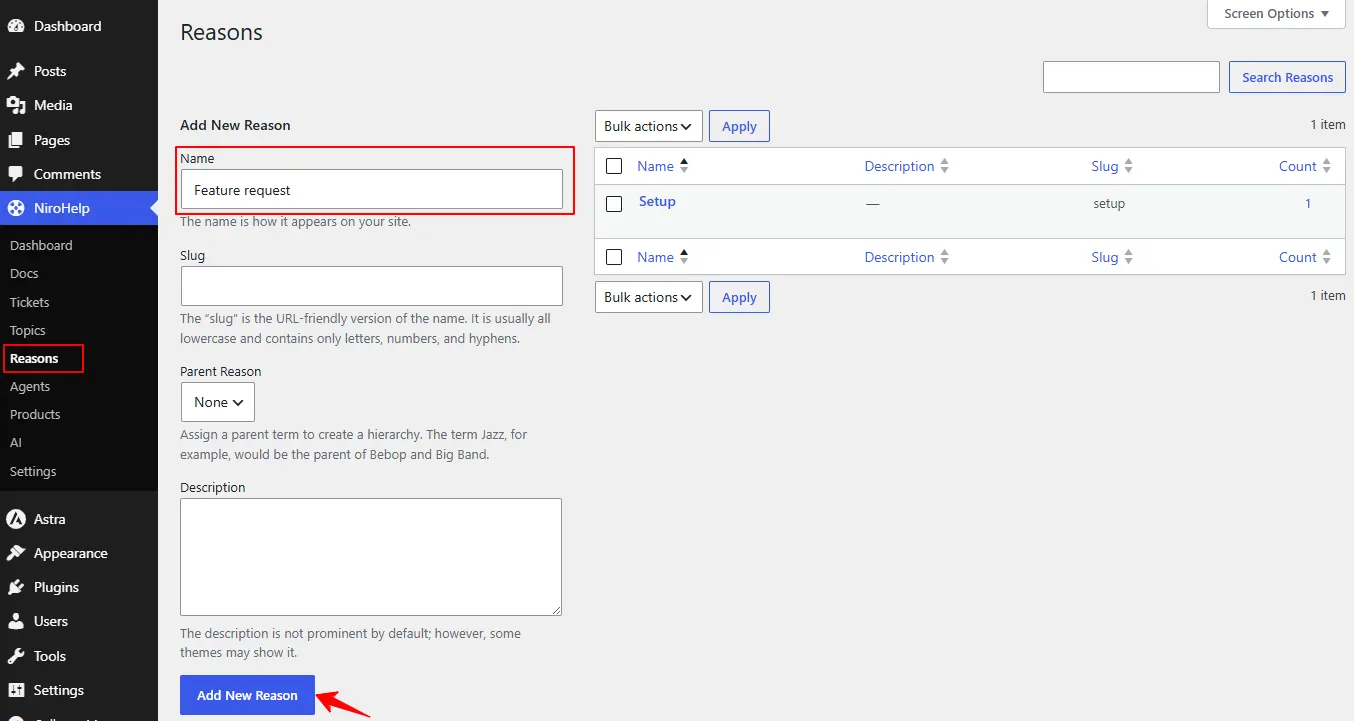
Each reason has a name, a slug and an optional description. It appears immediately on the new-ticket form and in the Reasons box on the ticket editor.
Picking a reason on a ticket
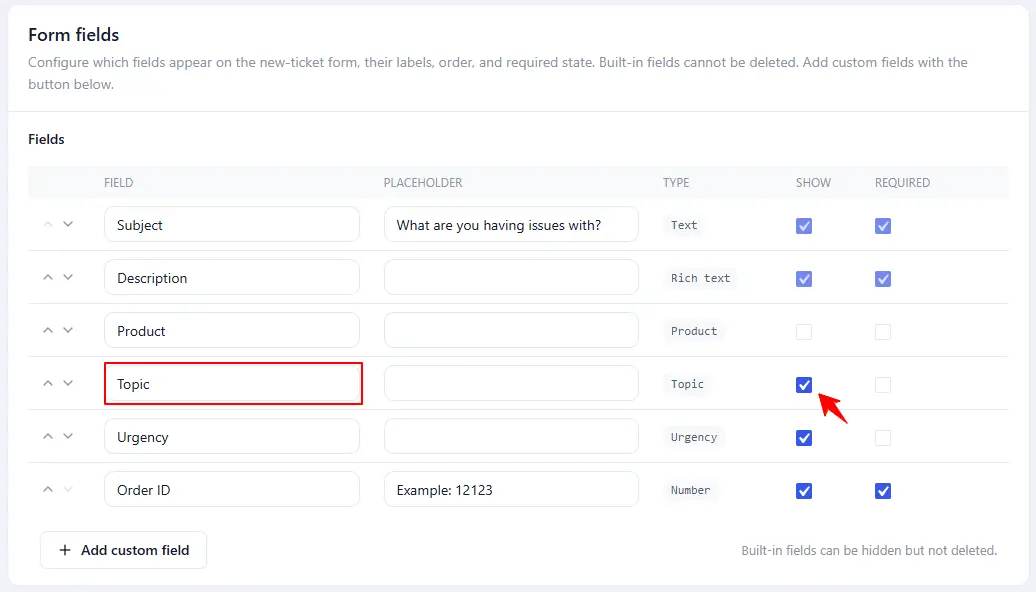
- Front end: the form shows a dropdown. Its default label is “Topic”, not “Reason” – rename it under Settings → Tickets → Form fields if that is confusing. The field is optional by default, so clients are not forced to choose, and you can switch it off entirely.
- Admin: the ticket editor has a Reasons box, so an agent can recategorize a ticket the client filed under the wrong one.
Filtering by reason
Not with a dropdown above the ticket list – NiroHelp does not add one. Use the reason links, or the search box.
Reasons, Products and Topics
It is easy to confuse the three. Quick guide:
| Name | Applies to | Purpose |
|---|---|---|
| Topics | Docs | The chapters of your knowledge base. |
| Products | Docs + Tickets | Which product the content is about. |
| Reasons | Tickets | Why the ticket was opened. |
You can use all three at once. None of them are required.
Was this doc helpful?