

NiroHelp sends an email for every meaningful ticket event. All of it is editable under NiroHelp → Settings → Emails.
The seven emails
| Sent to | When it goes out | |
|---|---|---|
| Login verification code | Visitor | A 6-digit login code was generated. |
| Magic link login | Visitor | A one-click login link was generated. |
| New ticket — to client | Client | A ticket is created. |
| New ticket — to agent | Agent | A ticket is created. Skipped when no agent was assigned. |
| Agent replied — to client | Client | An agent answers the ticket. |
| Client replied — to agent | Agent | A client answers the ticket. |
| Ticket resolved — to client | Client | The ticket is marked Resolved. Other status changes send nothing. |
Each has three editable fields: Header, Subject and Body.
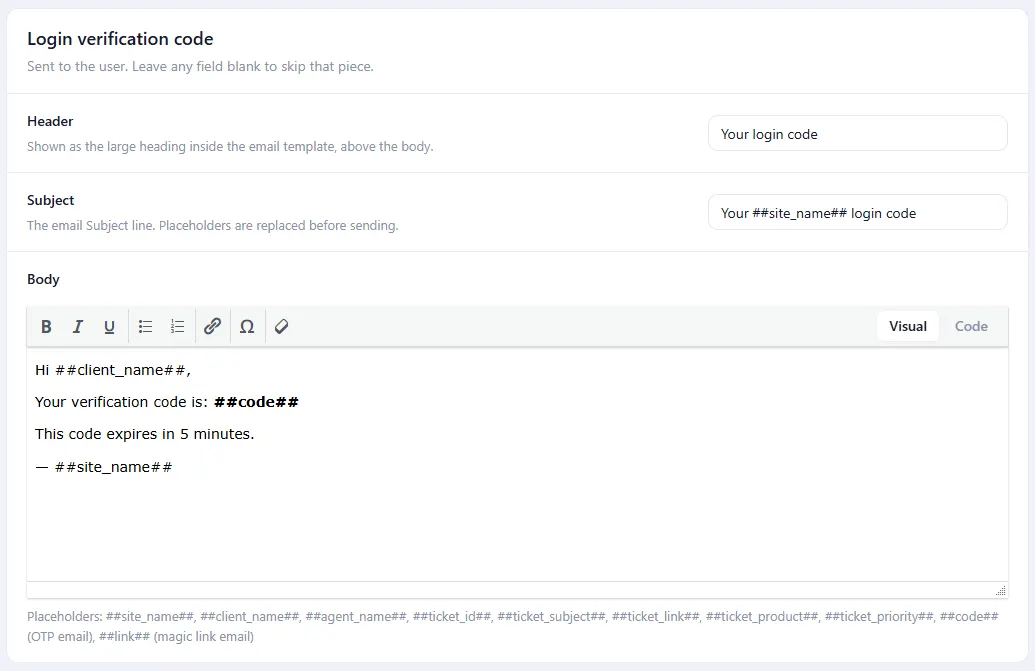
Blanking a body does not stop the email. The screen says “leave any field blank to skip that piece”, but the plugin does not check – an email with an empty body goes out instead. Genuinely stopping one from sending needs a developer, or a mail plugin that can filter by subject.
Placeholders
These are replaced when the email is sent, and work in any of the three fields.
| Placeholder | Replaced with | Available in |
|---|---|---|
##site_name## | Your site title. | every email |
##client_name## | The client’s display name. | the five ticket emails |
##agent_name## | The assigned agent’s display name. | the five ticket emails |
##ticket_id## | The ticket’s number. | the five ticket emails |
##ticket_subject## | The ticket title. | the five ticket emails |
##ticket_link## | A one-click link that signs the client in and opens the ticket. | the five ticket emails |
##ticket_product## | The products on the ticket, comma-separated. | the five ticket emails |
##ticket_priority## | The urgency. Empty when the client left it blank. | the five ticket emails |
##code## | The 6-digit verification code. | Login verification code only |
##link## | The one-click login link. | Magic link login only |
The ticket placeholders only work in the five ticket emails. Putting ##client_name## in the verification-code email leaves the text as-is, because at that point no client has been identified yet. Basic HTML in a body survives; scripts do not.
Branding
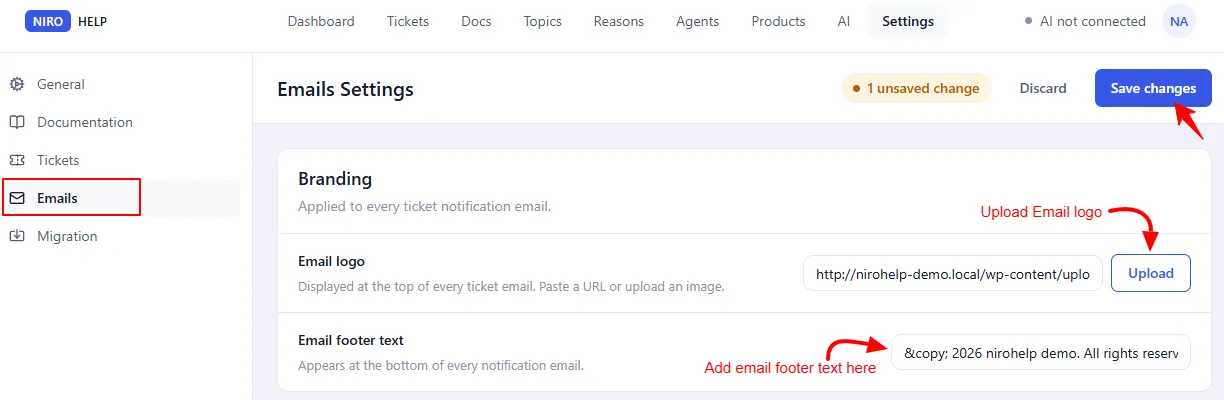
Two fields under Emails → Branding apply to every email:
- Email logo – an image, shown at the top.
- Email footer text – the small line at the bottom. Its default is a copyright line built from the current year and your site name.
Who the email comes from
NiroHelp sends through WordPress, so the sender address is whatever WordPress uses – usually something like wordpress@your-domain, which many mail providers treat with suspicion.
Install an SMTP plugin – WP Mail SMTP, FluentSMTP or similar – and set your real sending address there. NiroHelp needs no configuration for it, and this is the single biggest fix for “our notification emails go to spam”.
Testing them
The fastest loop is to file a ticket as a client and reply as an agent, on a staging site with a mail-catching plugin installed.
Do not send test mail to a real client address from a copy of your live site. These emails carry working one-click login links.
Was this doc helpful?