

The chatbot keeps the conversation on the visitor’s own browser. No chat history is stored on your site.
Per tab, and gone when the tab closes
The current conversation, and up to 20 previous ones from the same visit, live in the browser tab. Closing the tab clears all of it. A returning visitor starts with an empty chat.
Why not keep them longer
The chatbot is for questions in the moment. Keeping conversations for days puts the visitor’s history on their disk, needs an “are you sure you want to clear this?” screen, and tempts the widget into showing stale context back to the AI. Session-only storage avoids all three.
The “+ New” button
Inside the panel the visitor can click + New to file the current conversation away and start fresh. Filed conversations move into a list, capped at 20, and clicking any of them opens it again for re-reading. They vanish with the tab like everything else.
What the AI service receives
Each question sends:
- The question itself.
- Up to the last 10 turns of the current conversation, so follow-ups make sense.
- Your site key.
- The full address of the page the visitor is on, so the bot can answer “where am I?”. Note that this includes anything after the
?— if your page addresses carry an identifier, that identifier is sent too. - Your agent name, avatar, support email and ticket link, so the bot can offer them.
The service logs the question, the answer, how relevant it judged the answer, and the cost. It does not log the visitor’s address, browser fingerprint or anything that would identify them across visits.
Reading the logs
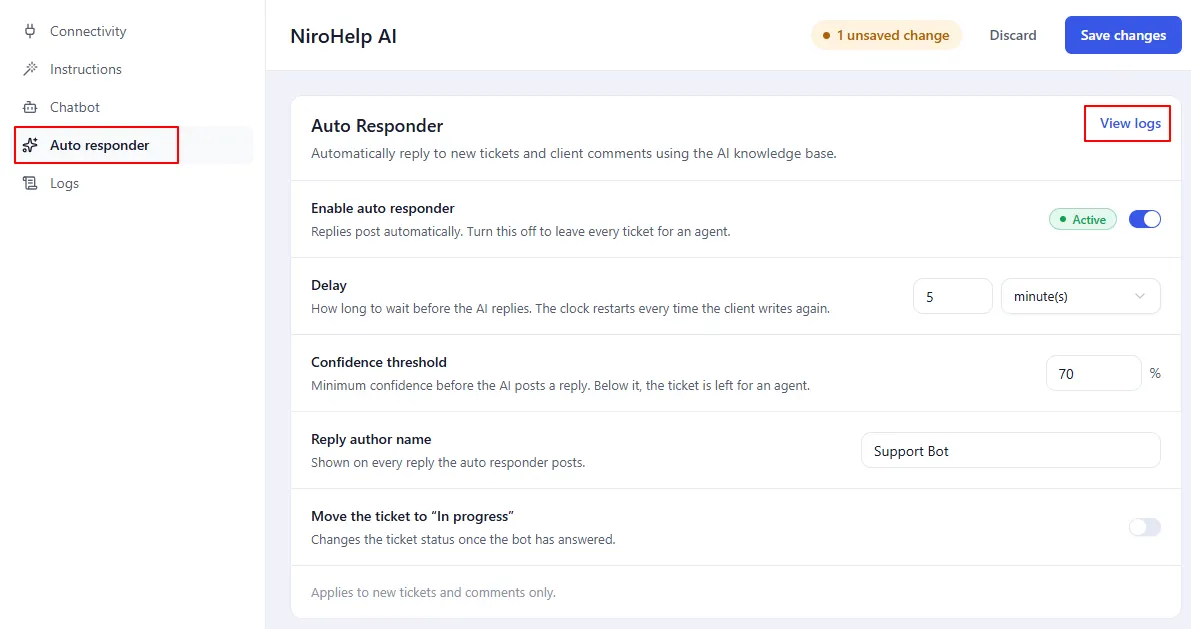
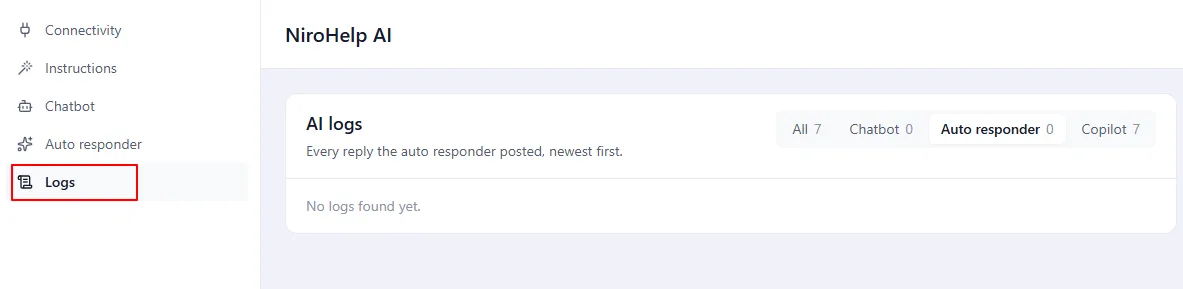
NiroHelp → AI → Chatbot → View logs.
That screen has no data yet. The AI service does not offer the log feed, so the screen reports the service’s error rather than a list. This is on the service side, not something wrong with your site.
Clearing a visitor’s chat
There is no button for it, and there is rarely a reason – closing the tab does the same thing. If you need to clear it as part of, say, a logout flow on your own site, that is a small piece of front-end work for a developer.
Was this doc helpful?